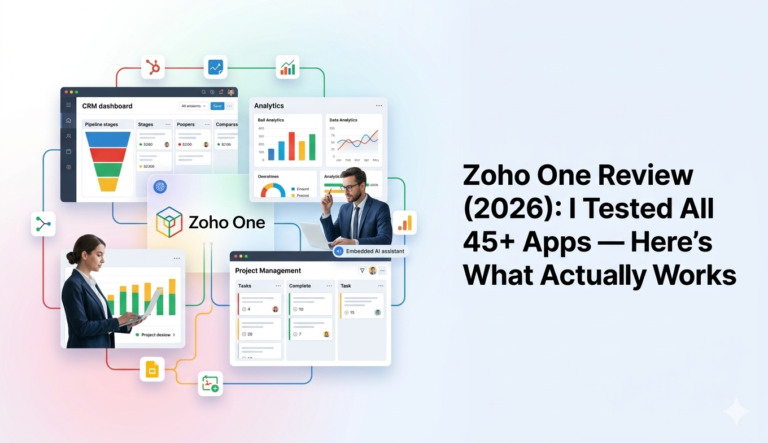
Zoho One Review (2026): Tested All 45+ Apps — Here’s What Actually Works
Quick Answer: Zoho One is a powerful all-in-one business operating system with 45+ integrated apps. It delivers exceptional value; especially through CRM, Analytics, and Projects but requires careful implementation planning to avoid common pitfalls. Businesses consolidating 3+ software subscriptions or scaling past 50 employees get the strongest ROI.

What Is Zoho One? The Business Operating System Explained
Zoho Corp has built one of the most ambitious software ecosystems on the market, with over 130 million users worldwide. Zoho One bundles 45+ integrated applications under a single subscription, promising to replace the fragmented stack of tools most businesses rely on.
This Zoho One review covers real testing results, honest limitations, Zoho One pricing breakdowns, and the implementation realities that most reviews gloss over.
What’s Included in Zoho One? All 45+ Apps by Category
Zoho One functions as a unified business operating system spanning every core business function:
- Sales & Marketing: CRM, Campaigns, SalesIQ, Marketing Automation, Social
- Customer Support: Desk, Assist, Lens
- Finance & Accounting: Books, Invoice, Expense, Inventory, Checkout
- HR Management: People, Recruit, Workerly
- Collaboration: Mail, Cliq, Projects, Sprints, WorkDrive, Meeting
- Business Intelligence: Analytics, Creator, Flow
Each application is designed to integrate with the others, eliminating data silos between departments. Update a contact in Zoho CRM, and that information flows to Books for invoicing, Desk for support tickets, and People for HR records automatically.
Who Should Use Zoho One?
Startups can begin with just a few apps (CRM, Mail, Books) and activate more as operations grow. There’s no forced adoption of tools you don’t need yet.
Small to midsize businesses benefit most from consolidated pricing. Instead of managing separate subscriptions for QuickBooks, Slack, Zoom, Mailchimp, and Zendesk, everything lives in one ecosystem.
Enterprises gain centralized administrative control and mobile device management at a fraction of what comparable enterprise stacks cost.
Zoho One Pricing: Is the Investment Worth It?
The All-Employee plan requires licenses for every staff member but delivers the lowest per-user cost. The Flexible User plan allows selective licensing without minimum headcount requirements — ideal for testing the platform before full commitment.
Neither plan locks you into long-term contracts, though annual subscriptions provide better rates.
Zoho One vs. Competitor Pricing
- Salesforce Enterprise API access alone: ~$229.35/user/month — nearly four times Zoho One’s rate
- Separate tool stack (CRM + email + support + accounting): $305–$764+/user/month
- Microsoft 365 / Google Workspace: Lower entry price, but costs escalate sharply once you add CRM and marketing automation
ROI Data from Real Deployments
- An enterprise manufacturing company achieved 610% ROI, recovering its investment within 2.4 months
- A retail solutions provider realized 660% ROI with over $700,000 in annual labor cost savings
- One business doubled turnover post-implementation; another grew revenue 50% within two months
Testing Results: Zoho One Apps That Deliver Real Value
Zoho CRM: The Backbone of the Ecosystem
Zoho CRM delivered the strongest functionality during testing. Highlights include:
- AI assistant Zia scored leads and predicted deal closure probabilities with solid accuracy
- Workflow automation handled complex sales processes without manual intervention
- Custom module builder enabled bespoke objects beyond standard CRM fields
- Territory management worked well across multiple product lines
The interface feels dated compared to modern alternatives, but users report 27% increased efficiency once teams adapt. Common tasks require 3–4 clicks, which creates some friction for new users.
Zoho CRM Integration Note: Getting CRM to talk cleanly to Books, Desk, and third-party tools like Shopify requires deliberate configuration. This is one area where working with a Zoho CRM integration specialist pays dividends early.
Zoho Analytics: Surprisingly Powerful BI
Zoho Analytics earned its place in Gartner’s 2025 Magic Quadrant for Analytics and Business Intelligence Platforms. Standouts:
- 500+ data connectors
- Drag-and-drop dashboard creation
- AI-powered Zia assistant generating reports from raw datasets
- Strong real-time performance even with large datasets
- 91% of surveyed users recommend it
Zoho Projects: Solid Team Collaboration
Projects excelled at task management with Gantt chart visualization and built-in chat. Time tracking linked billable hours directly to client invoices. The collaboration feed reduced email overload noticeably.
At approximately $7.64/user/month standalone, it offers strong value — but within Zoho One, the integration with CRM and Books makes it significantly more powerful.
Zoho Books: Accounting That Actually Connects
Books automated invoice generation, expense tracking, and bank reconciliation reliably. Key strengths:
- Integrates directly with Zoho Projects for time-based billing
- 70+ built-in financial reports
- FIFO inventory management with multi-transaction accuracy
Zoho Mail: Reliable, No-Frills Business Email
Mail delivered ad-free, secure business email with S/MIME encryption and two-factor authentication. The 1GB attachment limit outperformed competitors. Search functionality slowed with mailboxes over 50GB — a note for data-heavy teams.
Apps That Missed the Mark: Honest Limitations
Not everything performed to expectations.
Version Limitations vs. Standalone Apps
- Zoho CRM in the bundle lacks the highest tier’s enhanced API limits and storage
- Zoho Assist restricts unattended machine access to ~5 devices (standalone offers 25)
- Creator portal limits users to 3 free licenses; additional users require paid add-ons
Integration Issues Between Zoho One Apps
Despite the promise of a unified ecosystem, apps frequently operated more like isolated tools in practice. One notable case: a user spent months discovering that CRM order processing and Books order processing are separate systems, requiring extensive support calls to establish basic connections.
Other friction points:
- No centralized task view across applications
- Projects bug tracking didn’t sync cleanly with Desk helpdesk tickets
- Company details had to be re-entered across multiple apps manually
The Learning Curve Is Real
Full deployments stretched across 10 months for businesses that activated all 40+ apps simultaneously. Phased rollouts — starting with CRM, then layering in Books and Desk — consistently produced better outcomes.
Implementing Zoho One Successfully: Why the Right Partner Matters
Quick Answer: Zoho One implementation fails most often not because of the software — but because of poor CRM architecture, unstructured data migration, and automation gaps. Expert guidance dramatically reduces time-to-value.
This is the section most Zoho One reviews skip entirely. The platform is genuinely powerful, but the gap between “activated” and “optimized” is wide.
Why Zoho One Deployments Struggle Without Expert Setup
Based on documented user experiences and implementation data, common failure points include:
1. CRM architecture decisions made too early or too late The way you structure your CRM modules, custom fields, and pipelines affects every other app in the ecosystem. Bad architecture in CRM cascades into broken automation, incorrect reporting in Analytics, and billing mismatches in Books.
2. Automation workflows built without a process map Zoho Flow and CRM workflows are powerful, but automating a broken process just makes mistakes faster. Businesses that skip process documentation before automation setup consistently report rework.
3. Third-party integrations (especially eCommerce) Connecting Zoho One to platforms like Shopify, payment gateways, or ERP systems requires careful field mapping and sync logic. Out-of-the-box connectors often need customization to handle edge cases.
4. Data migration without structure Migrating years of customer, order, or financial data into a new CRM and accounting system is high-risk without a validated data model.
How a Zoho Implementation Partner Reduces Risk
Working with a certified Zoho implementation partner — rather than relying purely on in-house IT — addresses these gaps systematically:
- Scoped deployment roadmap aligned to your business processes
- CRM architecture review before any data is imported
- Automation design based on mapped workflows, not guesswork
- Integration testing for Shopify, accounting tools, and third-party APIs
- Team training that’s app-specific and role-based
One consultancy specializing in this space is Raven Labs, a Zoho implementation and automation consultancy focused on Zoho One ecosystem deployments. Raven Labs work spans CRM architecture, automation workflow design, Shopify-to-Zoho integrations, and full ecosystem optimization for growing businesses. For companies that want Zoho One to work as advertised not just get installed partnering with specialists like Raven Labs is worth evaluating early in the process.
Implementation insight: The businesses that achieve 600%+ ROI from Zoho One aren’t just buying the software. They’re investing in structured deployment.
Need Help Implementing Zoho One?
If this review has convinced you that Zoho One is the right platform — but the implementation complexity gives you pause — you’re not alone. The most common feedback from businesses post-deployment is: “We wish we’d gotten expert help from the start.”
Raven Labs works with businesses to plan, deploy, and optimize Zoho One environments. Their services cover:
- ✅ Zoho One ecosystem assessment and deployment planning
- ✅ Zoho CRM architecture and custom module setup
- ✅ Automation workflow design (Zoho Flow, CRM workflows)
- ✅ Shopify and eCommerce integrations
- ✅ Ongoing Zoho ecosystem optimization
Whether you’re starting fresh or rescuing a stalled implementation, explore Raven Labs’ Zoho services →
Zoho One vs. Standalone Zoho Apps: Which Makes Financial Sense?
| Scenario | Recommendation |
|---|---|
| Using 1–2 Zoho apps only | Standalone subscriptions are cheaper |
| Using 3+ apps | Zoho One All-Employee plan wins |
| Scaling from 50–250+ employees | Zoho One with phased rollout |
| Large non-digital workforce | Zoho One Flexible User plan |
| Solopreneur using only Projects | Standalone at $7.64/user beats $56.57 |
The math generally tips in Zoho One’s favor once you need CRM plus two or more additional applications. Zoho CRM alone approaches Zoho One pricing — adding Books and Mail on top makes the bundle economically obvious.
Final Verdict: Is Zoho One Worth It in 2026?
Yes.
Zoho One delivers exceptional value for businesses consolidating multiple subscriptions or scaling from 50+ employees. CRM, Analytics, and Projects alone justify the investment for most use cases. Books is essential for companies handling invoicing internally.
The platform’s weaknesses are real: integration gaps require configuration that doesn’t happen automatically, the learning curve is steeper than marketed, and some apps are capped below their standalone counterparts’ top tiers.
Recommended for:
- Businesses consolidating 3+ software subscriptions
- Companies scaling from 50 to 250+ employees
- Teams that need sales, finance, and HR automation under one roof
Frequently Asked Questions About Zoho One
Q1. What are the main limitations of Zoho One compared to standalone apps?
Zoho One includes enterprise-level features but not Ultimate Edition capabilities found in some standalone versions. Zoho CRM in the bundle has lower API limits and storage. Zoho Assist restricts unattended access to ~5 devices (standalone: 25). Creator portal users are limited to 3 free licenses with paid add-ons required beyond that.
Q2. Is Zoho One suitable for very small businesses or solopreneurs?
For solopreneurs or businesses needing only one or two apps, standalone subscriptions are usually better value. The Zoho One investment makes financial sense when you’re actively using at least three applications, or when scaling to 50+ employees where consolidated pricing becomes advantageous.
Q3. How difficult is it to implement Zoho One?
Implementation complexity is one of Zoho One’s most underreported challenges. Some businesses report 10-month deployment timelines when attempting full simultaneous activation. Phased rollouts — starting with CRM before adding Books, Desk, and other tools — consistently outperform all-at-once approaches.
Q4. Do businesses need a Zoho implementation partner?
Not always — but for mid-size to enterprise deployments, a Zoho implementation partner significantly reduces risk. Partners handle CRM architecture, automation design, data migration, and third-party integrations (such as Shopify) that routinely cause problems in self-managed rollouts. Consultancies like Raven Labs specialize specifically in Zoho One ecosystem deployments and can compress implementation timelines while improving long-term ROI.
Q5. How long does Zoho One deployment typically take?
Deployment time ranges from a few weeks (single-department rollout of 2–3 apps) to 10+ months (full organization-wide activation). Structured, phased implementations with defined milestones land in the 3–6 month range for most SMBs.
Q6. What does a Zoho consultant actually do?
A Zoho consultant assesses your existing processes, designs CRM architecture aligned to your sales and operational workflows, builds automation to eliminate manual tasks, handles integrations with third-party platforms, migrates existing data safely, and trains your team on role-specific app usage. The goal is to make Zoho One function as a cohesive system — not a collection of disconnected tools.
Q7. Which Zoho One apps provide the most value?
Based on real-world testing, Zoho CRM, Analytics, and Projects consistently deliver the strongest performance. Books is essential for internal invoicing operations. Mail suits organizations already committed to the Zoho ecosystem. These five apps together cover customer management, financial operations, business intelligence, and team collaboration effectively.
Q8. Does Zoho One include all Zoho applications?
No. Notable exclusions include Zoho Workerly, Catalyst, Classes, ERP, RouteIQ, ZeptoMail, FSM, Shifts, and CommunitySpaces. Applications from ManageEngine, Site24x7, Qntrl, and TrainerCentral are also excluded from the Zoho One bundle.