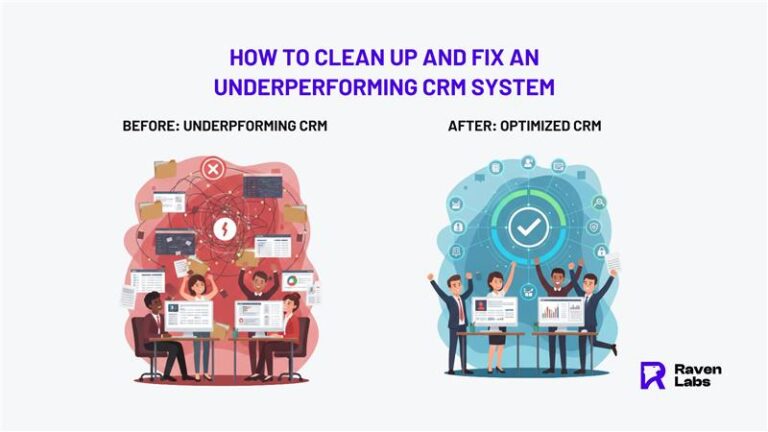
How to Clean Up and Fix an Underperforming CRM System 

Here’s something that might surprise you: 70% of CRM data goes bad every year, and this costs businesses around $13.5 million annually. I believe sales come through education, so I want to share what I’ve learned about CRM optimisation it’s not just helpful, it’s absolutely critical for your business. 

I see too many companies struggling with their CRM systems. Your team avoids the system, your data can’t be trusted, or you’re back to using spreadsheets because the CRM doesn’t work. This tells me your CRM implementation isn’t working. I’ve witnessed this countless times up to 30% of CRM records contain errors and teams waste over 20 hours each month just trying to make sense of the mess. 

High duplication rates can hit 30% and your sales team battles with outdated contact information. The longer we let these problems continue, the harder it becomes to rebuild trust in your system. Everything is reciprocal, and I’d like to offer you something valuable we can fix these problems before they cause permanent damage to your business. 

I’ll walk you through my practical approach to cleaning up and optimising your underperforming CRM. We’ll cover data cleanup, improving adoption, and setting up automation. Everything you need to change your CRM from a frustrating obstacle into a powerful business tool that actually helps your team sell more. 

What is CRM Optimisation and Why It Matters 

Definition and goals of CRM optimisation 

CRM optimisation means making sure your CRM system is set up properly, widely used by your team, and actually supports your business goals. It’s not just about having the software installed it’s about making it work for your specific organisation. 

A properly optimised CRM system has three essential parts: clean data without duplicates, smart automation of key processes, and everyone in your company actually using it. If you’re using platforms like HubSpot or Salesforce, optimisation means customising properties, dashboards, and workflows that match how your team actually works, rather than just accepting the default settings. 

How poor CRM setup affects business outcomes 

When your CRM system doesn’t work properly, problems spread throughout your entire business. Poor data quality creates duplicate entries, inaccurate customer profiles, and lost insights that damage customer trust. 

Bad CRM usage also creates: 

  • Missed sales opportunities when follow-ups and customer preferences get lost 
  • Lower productivity because team members waste time searching for information 
  • Inconsistent customer interactions that lead to dissatisfaction and higher churn 
  • Unreliable reports that stop management from making good decisions 

These problems don’t just cause frustration they directly hurt your revenue. If your CRM creates more work than results, you need help fixing it. 

Signs your CRM is not working 

Spotting CRM problems early saves your business time and money. Watch for these warning signs: 

  1. Your staff created their own systems using spreadsheets or other tools 
  1. Creating basic reports takes too much manual work from multiple sources 
  1. Users feel like they’re just filling out forms without getting any benefit 
  1. Team members haven’t received proper training on CRM features for their jobs 
  1. Your CRM doesn’t connect properly with other business systems like ERP or marketing tools 

Also look for data silos, where different departments disagree on customer information, or when your marketing consistently misses because of inconsistent data. These signs tell you it’s time to reassess and optimise your CRM strategy. 

Fixing the Data: The Foundation of CRM Health 

The foundation of any successful CRM optimisation starts with clean, well-structured data. Companies lose about 12% of potential revenue due to bad data, making data cleanup not just technical work but essential for business success. 

Standardise formatting and naming conventions 

Data standardisation ensures consistency across your entire database, making search, filtering, and reporting much more reliable. You need clear guidelines for how customer information should be formatted phone numbers (like 123-456-7890), email addresses, state abbreviations (NSW vs New South Wales), and job titles (CEO vs Chief Executive Officer). I recommend implementing these standards through dropdown menus instead of free-text fields whenever possible. This consistency reduces confusion and improves data usability by up to 50%. 

Consolidate and reduce unnecessary fields 

More fields don’t always mean better data. Too many fields create extra opportunities for errors and inconsistencies. Review your CRM for fields with low or zero population and consolidate similar ones (like “Company,” “Organisation,” and “Firm Name”) into single authoritative fields. This streamlining makes your CRM easier to navigate, reduces data entry errors and improves user adoption. 

Eliminate duplicates and outdated records 

Duplicate rates often reach 20-30% of total records, fragmenting customer information and creating confusion. Use your CRM’s built-in deduplication tools to identify and merge records based on email addresses, phone numbers, or other unique identifiers. Removing outdated contacts helps streamline processes and refocuses efforts on newer accounts with greater potential. 

Use validation rules to prevent bad data 

Prevention beats cleanup every time. Implement validation rules to enforce required fields, format checks, and business logic at the point of data entry. These rules act as gatekeepers, allowing only accurate and compliant data into your system. Configure email fields to check for proper formatting, or prevent duplicate opportunity names with clear error messages that guide users on how to correct their entries. 

Remember, I would like to always offer people something for my services and products—clean data gives you a solid foundation to build genuine customer relationships that last. 

Getting Your Team to Actually Use the CRM 

Once we’ve sorted your data, the real challenge starts getting your team to actually use the system. I’ve seen too many CRMs fail because people just won’t adopt them, and that’s usually because nobody asked the users what they needed. 

Get Your Users Involved From the Start 

The best CRM setups happen when you involve your team from day one. Ask your users how they want the system to look and feel. Share updates as you make changes and show them new features before you roll them out. This gets people excited instead of resistant. 

Set up ways for people to give feedback maybe a quick weekly check-in or a simple feedback form. When your team helps design the CRM, they’ll feel like it’s theirs rather than something management forced on them. Everything is reciprocal, and when you give users a voice, they’ll give you their buy-in. 

Train People for Their Actual Jobs 

Generic training sessions don’t work. I’ve learnt that people need training that fits their specific role. Your sales team needs different CRM skills than your customer service team. 

Use real scenarios from your business and actual company data. Start with the basics before you teach advanced features—you wouldn’t teach someone to parallel park before they can drive straight. Set up regular training sessions and office hours where people can ask CRM questions. This ongoing education approach works because people learn at different speeds. 

Make the CRM Match How People Work 

Here’s what I’ve noticed: CRMs often fail because they’re built for what managers want to see rather than making daily tasks easier for the people actually using them. Your CRM should fit into existing workflows, not create new ones. 

Don’t add complexity just because you can. When your CRM actually helps people do their jobs better, they’ll use it. This changes your CRM from a compliance requirement into something genuinely useful. 

Remove the Barriers 

Small frustrations add up to big adoption problems. Busy professionals won’t spend 20 minutes entering data after every client meeting. I’d like to offer you this advice: automate data capture and entry wherever possible. 

Focus on removing manual tasks through automation and make sure information shows up in the tools your team already uses every day. When the CRM makes work easier instead of harder, adoption happens naturally. 

Automating and Future-Proofing Your CRM 

Manual cleanup gets you started, but the real value comes from setting up systems that maintain quality automatically. I’d like to show you how to make your CRM self-maintaining this saves time and keeps your data clean without constant effort. 

Set up automated cleanup workflows 

One-time cleaning won’t cut it. The smart approach uses automated maintenance that handles routine tasks while you focus on selling. These automations can: 

  • Archive unused marketing assets after set periods of inactivity 
  • Delete workflows that haven’t been modified in six months 
  • Identify duplicate records as they appear 
  • Automatically format new entries according to your standards 

These automated processes deliver real results. Starbucks achieved a 94% reduction in manual work and 1400% ROI improvement through workflow automation. That’s the kind of return I want to help you achieve. 

Track key metrics like data completeness 

You can’t improve what you don’t measure. I believe sales come through education, so let me teach you about monitoring data quality. Track these metrics to catch problems early: 

  • Completeness: Percentage of records with all critical fields filled 
  • Accuracy: Correctness of stored information 
  • Consistency: How uniform data appears across your database 
  • Timeliness: How recently records were updated 

Companies tracking completeness see lead conversion rates increase up to 30% and customer churn reduced by 10-20%. Everything is reciprocal—better data quality leads to better business results. 

Integrate CRM with other business tools 

Your CRM works best when connected to your other business systems. Integration creates automatic information flow between platforms, eliminating data silos. The time investment varies: 

  • Native integrations (email, calendar) typically take hours 
  • Complex integrations with multiple tools need 2-4 weeks 

This connected approach means data syncs automatically between platforms, giving your team current information without manual transfers. 

Plan for ongoing customisation and support 

CRM optimisation evolves with your business. Consider partnering with CRM experts who can: 

  • Analyse your processes and configure the platform accordingly 
  • Anticipate potential issues before they affect operations 
  • Provide training as new features become available 

Regular evaluation ensures your CRM continues meeting business objectives as your needs change. System reviews maintain alignment with your evolving requirements while building team comfort through continuous education. 

Conclusion 

A clean, optimised CRM system forms the backbone of successful customer relationships and business growth. We’ve covered how poor CRM implementation wastes time, misses opportunities, and costs real revenue. Bad data costs businesses millions each year, and low adoption rates make even expensive systems worthless. 

Your CRM optimisation journey starts with data cleanup—standardising formats, consolidating fields, and removing duplicates. Then we focus on user adoption through proper training and workflow alignment to change your system from a burden into something valuable. Finally, automation keeps your CRM healthy over time rather than letting it decay. 

CRM optimisation isn’t a one-time project—it’s ongoing work. Your business keeps evolving, so your CRM must adapt too. Book a CRM strategy session with Raven Labs if you need expert guidance to transform your underperforming system into a powerful business asset. 

The effort you invest in properly optimising your CRM will pay dividends through better customer relationships, streamlined operations, and data you can trust. These principles work whether you manage a small team or a large enterprise. Most importantly, a well-functioning CRM doesn’t just store information—it empowers your entire organisation to make smarter decisions and deliver exceptional customer experiences. 

I believe that sales come through education, and everything is reciprocal. I hope the knowledge I’ve shared helps you build a CRM system that actually supports your team’s success rather than creating obstacles. Your customers deserve accurate information and smooth interactions, and a properly optimised CRM makes that possible. 

Book a CRM Strategy Session with Raven Labs


Get expert guidance to clean up your CRM, improve adoption, and turn it into a system your team actually trusts and uses.

FAQs 

Q1. How can I tell if my CRM system is underperforming?  

Look for signs like staff using spreadsheets instead of the CRM, difficulty generating basic reports, low user adoption, and integration problems with other business systems. If your team feels they’re just filling forms without seeing value, it’s likely time to optimize your CRM. 

Q2. What are the first steps to clean up a messy CRM?  

Start by standardizing data formats and naming conventions, consolidating unnecessary fields, and eliminating duplicate and outdated records. Implement validation rules to prevent bad data from entering the system in the future. This creates a solid foundation for CRM health. 

Q3. How can I improve CRM adoption among my team?  

Involve users in the redesign process, offer role-based training tailored to each department’s needs, align CRM features with real workflows, and reduce friction in daily usage. Making the CRM valuable for frontline users, not just management, is key to successful adoption. 

Q4. What role does automation play in maintaining CRM health?  

Automation is crucial for sustainable CRM optimization. Set up workflows to handle routine cleanup tasks, track key metrics like data completeness, and integrate your CRM with other business tools. This ensures your CRM remains a self-maintaining asset that evolves with your business needs. 

Q5. How often should I review and update my CRM system?  

CRM optimization should be an ongoing process. Regularly audit your data quality, review system performance, and assess if it still aligns with your business objectives. Quarterly clean-ups are recommended, but also plan for continuous improvements and updates as your business evolves. 

good geo is good seo

Good GEO is good SEO 

Local search optimization races forward as Google champions a new motto: “Good SEO is good GEO”. This transformation shows how traditional search optimization practices adapt

SEO is Dead? No. It’s Evolving into GEO 

Search engine optimization practices are undergoing substantial changes as artificial intelligence systems increasingly mediate information discovery. Recent analyses indicate that traditional search engine usage may

Get a free audit report

Discover how we can empower your organization to move forward. Tell us what matters most to you, and we’ll personalize our approach to serve you better.